
Zoey Zhou




| Picture | Part Number | Manufacturer | Stock | Action |
|---|---|---|---|---|
 | STM32F103C8T6 | STMicroelectronics | 7,370 | |
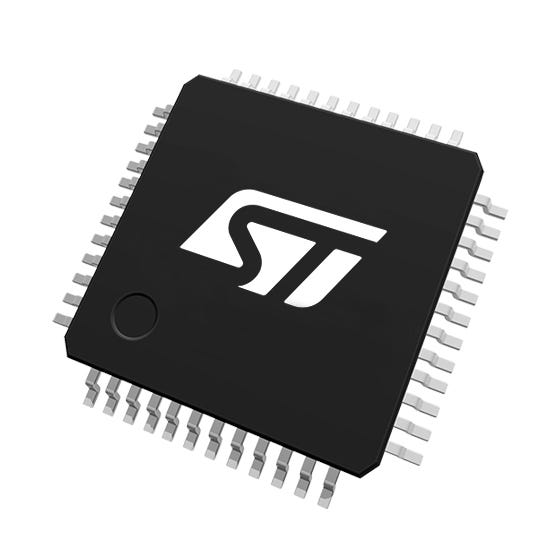 | STM32F103CBT6 | STMicroelectronics | 4,640 | |
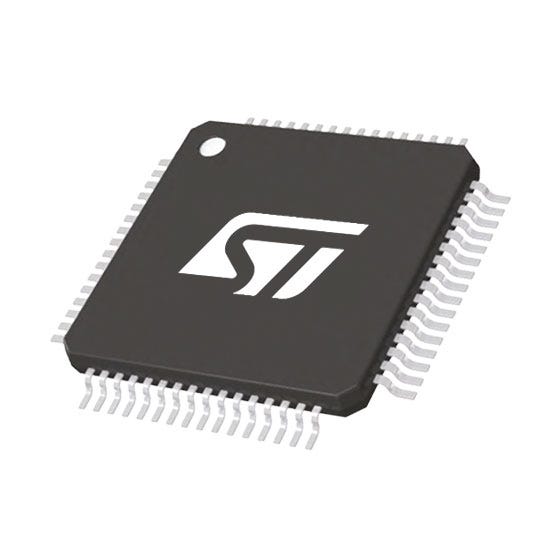 | STM32F103RBT6 | STMicroelectronics | 8,040 | |
 | STM32F072CBT6 | STMicroelectronics | 8,770 | |
| STM32F303CBT6 | STMicroelectronics | 2,680 |
It uses USART1 on PA9 for transmit and PA10 for receive. In LQFP48 these are pins 30 and 31. Connect the adapter’s receive input to PA9 and its transmit output to PA10, with a common ground. Application remapping to PB6 and PB7 does not change the factory loader’s pin choice.
For the applicable STM32F10xxx group, use BOOT0 high and BOOT1 low before releasing reset. BOOT1 is shared with PB2. Changing the jumper after startup does not redirect the currently executing program. Verify both levels at the MCU and apply a valid reset after establishing them.
No. The documented bootloader uses an internal clock source. The board still needs valid power, analog-supply connections and reset behavior. An application that depends on an external crystal can fail after programming even when the factory serial download works correctly.
Category: Manufacturer Insights
Author: Zoey Zhou
Manufacturer: STMicroelectronics
To program STM32F103C8T6 through its factory bootloader, establish the system-memory boot condition, reset the device and connect the host to USART1 on PA9 and PA10. A working application UART does not prove that this path is ready. Check the boot pins and the first serial exchange before investigating the firmware image or changing application code.
An application controls its own clocks, pin mapping and communication protocol. The factory bootloader executes different software from system memory and chooses its own documented resources. That distinction explains why a board prints application messages through a serial adapter but the programming tool cannot connect after a reset.
The STM32F103C8T6 datasheet identifies USART1 as the system-memory programming interface. The applicable STM32F10xxx entry in AN2606 specifies PA10 for receive and PA9 for transmit. Remapping USART1 to PB6 and PB7 in an application does not remap the factory bootloader. Nor does having USART2 or USART3 in the peripheral list make those interfaces available for this boot path. ST AN2606
The application can use different pins, remapping, framing and software. The factory loader runs independently from system memory and follows its own entry and communication rules. First establish its boot mode and initial response; then investigate the image or memory operations.
The factory path discussed here is USART1. Having a USB full-speed peripheral does not provide a factory USB loader for this part. A USB bootloader installed in user flash is a separate software component and can be removed by an erase that covers its region.
Restore normal boot selection and reset, then check the image’s destination, linked memory layout and board-specific startup configuration. This exact part is specified with 64 Kbytes of flash. Repeat startup with the programming fixture inactive so that unintended power or pull connections cannot hide a board issue.
Treat the programming connection as a separate board function during review. Trace it from the connector to the actual MCU pins, including level translators, jumpers and any shared circuitry. A silkscreen label such as “UART” or “TX” may describe the board’s normal application interface rather than the factory download interface.
The other important distinction is USB. STM32F103C8T6 has a USB full-speed peripheral, but that peripheral does not establish a factory USB download capability. A third-party USB bootloader installed in user flash is a separate program with its own entry rules and memory allocation. Erasing user flash can remove that program while leaving the factory system-memory loader available.
The complete order code supplies useful constraints. C identifies the 48-pin option, 8 identifies 64 Kbytes of flash, T identifies LQFP and 6 identifies the industrial temperature grade. The device contains 20 Kbytes of SRAM. The supplied datasheet is DS5319 Revision 20, dated July 2025, covering both x8 and xB medium-density parts.
That shared datasheet also describes devices with 128 Kbytes of flash and packages with more pins. Do not transfer their memory size or physical pin numbers to C8T6. A programming tool may display a family name, but the linked application still has to fit the specified memory of the actual part.
Table 1. STM32F103C8T6 facts relevant to serial programming
| Item | Exact-device basis | Practical consequence |
|---|---|---|
| Core and maximum clock | Cortex-M3, up to 72 MHz | Application performance does not define bootloader baud rate |
| User flash | 64 Kbytes | Keep the image and linker allocation within the supported range |
| SRAM | 20 Kbytes | A custom RAM loader also needs a valid memory allocation |
| Package | LQFP48, 7 × 7 mm body | Use the LQFP48 pin column |
| Main supply | 2.0–3.6 V | A 5 V adapter power pin is not a valid direct MCU supply |
| Analog supply | VDDA and VSSA must be connected appropriately | Analog supply pins support more than ADC measurements |
| Factory programming path | System memory through USART1 | Check boot selection before changing application UART setup |
ST’s official part listing agrees with the 64 Kbyte, LQFP48 identity. Online board names and reports of additional accessible memory are not a production specification. Build for the documented capacity, and investigate a mismatch between markings, procurement records and detected identity before relying on it. ST product page
The temperature suffix also matters when validating a field fixture. The normal industrial range for suffix 6 is −40 to +85 °C under the datasheet’s stated power conditions. A room-temperature connection test is useful evidence for wiring, but it does not qualify the complete programming setup over the product’s intended environment.
For this device group, AN2606’s Pattern 1 selects system memory with BOOT0 high and BOOT1 low. BOOT1 is shared with PB2. Those are startup conditions, so changing a jumper after the device has already started does not redirect the program currently executing. Apply the intended levels and then produce a valid reset. ST AN2606, activation patterns and STM32F10xxx section
In the LQFP48 package, BOOT0 is pin 44 and PB2/BOOT1 is pin 20. NRST is pin 7. These numbers should be checked against the package’s pin-one orientation on the assembled board. A connector pin number is not interchangeable with a package pin number, and a rotated view can make an otherwise careful continuity check misleading.
Give each boot input a defined state. For normal startup, a board commonly uses a pull network that selects user flash unless a service fixture deliberately overrides it. The exact resistor choice depends on leakage, external drivers, noise and the board’s electrical design. The requirement is a measured valid level at startup, not merely the presence of a resistor symbol in the schematic.
A shared PB2 function deserves special attention. A peripheral, test fixture or neighboring controller can drive that net during reset even if the application later uses it as an ordinary output. Review the external circuit’s power-up behavior and verify the voltage at the MCU. An application log cannot reveal what the pin did before the application began.
Table 2. LQFP48 connections for the factory USART1 path
| MCU signal | Package pin | Connection or state for this procedure |
|---|---|---|
| BOOT0 | 44 | Defined high before reset release |
| PB2 / BOOT1 | 20 | Defined low for system-memory selection |
| NRST | 7 | Controlled low pulse, then valid release |
| PA9 / USART1_TX | 30 | Connect to the host adapter’s receive input |
| PA10 / USART1_RX | 31 | Connect to the host adapter’s transmit output |
| VSS and VSSA | Package-specific ground pins | Common reference with the adapter and complete board grounding |
The factory loader uses an internal clock source, so an external crystal is not a prerequisite for this USART procedure. That helps isolate faults: a failed application oscillator configuration does not automatically explain a missing factory serial response. The supply and reset circuitry still have to support the MCU correctly.
Connect the adapter’s transmit output to PA10, the MCU receive input. Connect PA9, the MCU transmit output, to the adapter’s receive input. Add a common ground reference. Figure 1 expresses the directions explicitly because “TX to RX” becomes ambiguous when a connector has been labelled from the far end’s perspective.
Use logic-level serial signaling appropriate to the board. A USB-to-UART adapter with a 3.3 V interface is a straightforward choice for a 3.3 V MCU board. A traditional RS-232 electrical interface is different: its line voltages and polarity require the appropriate transceiver. A connector called “serial” does not tell you which electrical interface it carries.

Figure 1. USART1 wiring for STM32F103C8T6 in LQFP48. The diagram is a connection reference, not a complete power, protection or fixture schematic.
Check the adapter’s signal voltage independently of its power-output jumper. Some modules expose multiple supply outputs while their transmitter still operates at one fixed logic voltage. Measure the idle transmitter level and consult the module’s actual circuit or documentation. Do not infer signal amplitude from a label beside an unrelated supply pin.
The datasheet marks PA9 and PA10 as five-volt-tolerant I/O, with conditions attached to that capability. That is not a reason to power the MCU from 5 V or ignore other connected pins. A consistent 3.3 V interface simplifies the fixture review and avoids building a programming procedure around loosely understood tolerance limits.
Do not connect two power sources together casually. If the target is already powered by its own regulator, the adapter’s power pin may be unnecessary. Determine whether the fixture is intended to power the target or only communicate with it. Ground remains necessary for a nonisolated logic interface, but the power path needs its own explicit decision.
With both sides unpowered, continuity testing can establish that the intended nets reach the intended pins. With power applied, an oscilloscope or logic analyzer can establish signal direction and activity. These two checks answer different questions; neither replaces the other.
The device’s normal main-supply range is 2.0–3.6 V. All required VDD and VSS connections must be present, and VDDA/VSSA must be supplied and grounded as the datasheet requires. The analog supply supports internal clock and reset-related circuitry as well as ADC functions. Leaving it disconnected because no analog channel is used is not a valid minimal circuit.
The datasheet’s supply drawing provides local decoupling guidance, including the placement requirement for the bulk capacitor at VDD3. Adapt the family drawing to the actual LQFP48 package and verify every supply pin against the pin table. A voltage reading at the connector does not prove continuity or a stable voltage at each package connection.
For NRST, the datasheet specifies an input-low maximum of 0.8 V and an input-high minimum of 2 V. It also gives reset-pulse filtering characteristics. A fixture should create a clear low interval and a clean release, rather than trying to operate near the shortest theoretical pulse. The recommended reset network includes a capacitor and the device has an internal pull-up; both influence the observed waveform.
Check NRST while the adapter connects, when a programming session starts and when it ends. A control line that remains asserted can hold the MCU in reset indefinitely. An RC network or another supervisor can delay release beyond the host software’s assumption. Looking only at the fixture control output misses the voltage the MCU actually receives.
Also check for unintended powering through signal pins. A target that appears switched off may still have a raised rail when the adapter’s TX output is connected. That condition makes power-cycle experiments unreliable and can alter the reset sequence. The fixture design should define how its outputs behave when target power is absent.
The initial synchronization byte is 0x7F. The documented USART framing is eight data bits, even parity and one stop bit. A successful synchronization produces the acknowledgement byte 0x79; a command rejection uses 0x1F. AN3155 describes the protocol and its tested baud-rate range. ST AN3155
That initial exchange is a useful stopping point in diagnosis. It proves more than a terminal window opening successfully, and it requires no image erase. Capture the transmitted byte at PA10 and the response at PA9. If the expected response is absent, keep the investigation at boot selection, reset, wiring, signal levels and framing.
A text terminal is not automatically a suitable protocol tool. Typing the characters “7F” generally sends two character codes, not the single binary byte 0x7F. Terminal settings can also insert line endings or apply a framing configuration intended for the application console. Use a programming tool that implements the bootloader protocol, or a deliberately configured binary test utility.
The host’s COM-port selection is another separate layer. A USB adapter can enumerate correctly on the computer while being disconnected from the MCU or wired to the wrong UART. An adapter loopback test can check the host-to-adapter route, but it does not establish the board’s boot mode or the target wiring.
After synchronization, query the loader’s supported commands and identity before choosing an erase or programming operation. Command availability depends on the implementation. A host should use the reported capabilities instead of assuming that every command listed for the wider STM32 family exists on this device.
Table 3. Interpret the earliest observed failure
| Observation | What is already established | Next focused check |
|---|---|---|
| Adapter absent from host | Nothing about the MCU link yet | Cable, adapter driver and host port |
| Host sends, PA10 stays idle | Host activity does not reach target RX | Connector mapping, continuity and translator enable |
| PA10 receives traffic, PA9 stays idle | The request reaches the MCU pin | Boot levels, reset release, framing and power |
| Valid acknowledgement, later rejection | A serial protocol exchange exists | Supported command, address, protection and packet structure |
| Programming completes, application does not run | Connection is no longer the only question | Verification, linked image, boot selection and startup code |
This ordering prevents an unhelpful cycle of changing firmware options to solve a physical connection problem. It also avoids replacing a working adapter simply because the image fails to boot after a successful download.
Capture NRST, BOOT0, host TX at PA10 and target TX at PA9 in one acquisition when possible. Add PB2/BOOT1 in a second acquisition if the instrument has too few channels. A combined trace lets you relate the request to the actual reset release and boot-input state, rather than comparing unrelated screenshots taken during different attempts.
A logic analyzer is useful for decoding bytes, while an oscilloscope is useful for seeing voltage levels, ringing and slow edges. A decoder can produce plausible bytes from a waveform that has little margin. If the connection works only intermittently, inspect the analog waveform and reference connection before concluding that the bootloader is unreliable.
For an illustrative framing calculation, eight data bits with one start bit, one parity bit and one stop bit occupy eleven bit periods. At 115200 bit/s that is about 95.5 µs per character; at 9600 bit/s it is about 1.146 ms. These are calculated wire times, not guaranteed response delays. USB scheduling, host buffering and the bootloader’s work add other intervals.
Figure 2 lays out the event order without prescribing a timing scale. Keep the boot inputs valid through reset and begin the host exchange after the target has been released into the intended state. If a fixture changes multiple control lines together, check their actual edge order at the board rather than assuming that a software API call changes them simultaneously.

Figure 2. Observe the complete entry sequence. The timeline is qualitative; the illustrated stages are not measured delays or minimum timing specifications.
Repeated retries should produce useful evidence. Record whether the same first byte is received, whether the reset waveform changes, and whether the target ever acknowledges. A single label such as “connection failed” hides the difference between no response and a valid protocol rejection.
PA9 and PA10 also serve other peripheral functions. The datasheet lists timer channels on these pins, and a finished product may connect them to circuitry unrelated to programming. That circuit can load the line, drive against the adapter or behave unexpectedly when the bootloader takes control.
Review every component on the two nets. An LED branch, level translator, pull resistor or another controller input may be harmless under application timing yet interfere during startup. A translator with an inactive output-enable pin can make continuity look correct while preventing the signal from crossing the device. Probe both sides of such components.
If another device drives the same line, define a fixture-controlled isolation or ownership scheme. Increasing the adapter’s output drive does not resolve two outputs contending. Likewise, reducing baud rate can hide marginal edge behavior without correcting the underlying electrical conflict. A reliable service interface has a clear owner in every power and reset state.
When PA9 or PA10 normally controls an actuator-related function, review the state of that external function during bootloader entry. The programming procedure changes pin behavior before the application can apply its normal startup policy. Board-level enables and power sequencing should make the intended service state deliberate and repeatable.
If the old application continues printing its normal startup banner after the supposed loader-entry reset, use that observation. It suggests that the processor is executing user code, so first verify the boot-control path and whether reset actually reached the MCU. Do not start by altering the binary transfer packet. A serial banner can be a useful witness even though it does not validate the programming interface.
Check whether a fixture relay, jumper or transistor inverts the intended control state. A host setting labelled “boot enabled” is only a software convention. The relevant fact is the measured level at package pin 44 during the startup sequence. Similarly, a reset control may be active low at one point in the fixture and inverted before reaching the board.
A reproducible experiment changes one condition at a time. Record a normal boot capture, then repeat with the documented system-memory selection while keeping supply, adapter and software settings unchanged. Compare the reset edge and the first activity on PA9. This avoids mistaking a coincidental cable reconnection or power interruption for a successful boot-pin correction.
If the application banner disappears but no bootloader response arrives, that is progress rather than proof of success. The processor might now be in the intended loader, held in reset, or entering a different state because BOOT1 is wrong. The next useful evidence is the measured reset release, both boot levels and a correctly framed request at PA10. Keep the observations separate until they establish one consistent explanation.
Once the connection is established, turn to the image. The user flash begins at 0x08000000, and this exact part provides 64 Kbytes. A raw binary does not carry an address map in the same way as an addressed programming format. The programmer’s destination setting and the linker’s memory origin therefore need to agree.
For a straightforward application occupying user flash from its beginning, inspect the linked output and the programmed contents at that origin. If the project includes a custom bootloader or an offset application, use that project’s documented layout instead. Copying a destination address from an unrelated board tutorial can produce a fully verified download that cannot start correctly.
Keep the distinction between erase granularity and transfer size. The datasheet specifies 1 Kbyte flash pages and 16-bit programming characteristics. The serial protocol groups data into its own transfers. Those groupings serve different purposes and should not be used interchangeably when preserving configuration or allocating application space.
A configuration record can share flash with the application, but then the programming procedure must explicitly preserve or replace it. A mass erase may be appropriate for a blank production device and inappropriate for a returned unit containing calibration data. Determine the intended erase range before pressing a tool’s download button.
Protection settings also belong in the diagnosis. A loader responding to identification commands does not guarantee that every memory operation is allowed. Read the tool’s reported protection state and distinguish a deliberate protection policy from a communications fault. Do not make automatic unprotection the first response to a rejected command; some protection changes can erase content.
After programming, perform the tool’s verification step and retain its result. Verification demonstrates that the requested data was stored through the chosen access path. It does not prove that the image was built for this board, that its clock source exists or that its startup code reaches the application.
Restore the normal boot selection and reset the MCU after completing the programming session. Leaving BOOT0 in the system-memory position can make a correctly programmed device appear dead because it waits in the loader instead of executing user flash. Test this explicitly before investigating the application’s scheduler or peripheral initialization.
Then disconnect the programming fixture or place it in its specified inactive state and repeat a normal power-up. A board that works only with the adapter attached may be receiving an unintended pull-up, ground path or supply contribution from the fixture. The product needs to start under its real power and connector conditions.
A debug probe provides a useful independent observation path. STM32F103C8T6 supports SWD, using PA13 and PA14, as well as the broader JTAG interface. If the UART loader connects but the application fails, inspecting the reset vector and early execution through SWD can separate an image problem from a service-interface problem. Keep probe power-reference and reset wiring correct as well.
Avoid claiming that one successful download validates the complete recovery process. Repeat entry after a normal application run, after a cold power-up and after an interrupted programming attempt on a suitable test device. Confirm that the documented service procedure can still re-enter the factory loader without relying on the application to cooperate.
Table 4. A repeatable programming record
| Record item | Why it belongs in the result |
|---|---|
| Exact MCU marking and board revision | Prevents mixing package and hardware assumptions |
| Adapter identity and measured logic level | Makes the electrical interface reproducible |
| Boot levels and reset capture | Establishes the actual loader-entry condition |
| Loader identification and supported commands | Records what the device reported |
| Image identity, destination and erase scope | Connects the programmed bytes to the approved build |
| Verification and independent normal startup | Separates storage success from application execution |
A memory increase, extra I/O or a different peripheral mix may justify reviewing another MCU. The following exact order codes are supported by ST listings. They are related design candidates, and each still needs a package, software and bootloader review before substitution.
Table 5. Four exact MCU comparison candidates
| Exact model | Verified relationship | Main review boundary |
|---|---|---|
| STM32F103CBT6 | 128 Kbyte flash, Cortex-M3, LQFP48 | Check the memory allocation and exact board requirements |
| STM32F103RBT6 | 128 Kbyte flash, Cortex-M3, LQFP64 | Different pin count and physical pin locations |
| STM32F072CBT6 | 128 Kbyte flash, 48 MHz Cortex-M0, LQFP48 | Different family, core and factory bootloader rules |
| STM32F303CBT6 | 128 Kbyte flash, 72 MHz Cortex-M4 with FPU, LQFP48 | Different peripheral architecture and software port |
Official sources: STM32F103CBT6, ST listing including STM32F103RBT6, STM32F072CBT6, and STM32F303CBT6.
A similar package name does not guarantee an identical programming fixture. Compare the destination part’s boot-selection mechanism, supported loader interface and exact pin assignment before reusing a connector. The same caution applies to application binaries: a common Cortex instruction set does not make clock, peripheral and interrupt initialization interchangeable.
For the original STM32F103C8T6 board, keep the investigation anchored to an observable sequence: establish boot inputs, release reset, see the synchronization byte reach PA10, observe the response on PA9, and only then inspect erase, programming and application startup. Each successful stage narrows the remaining problem and gives the next person a result they can reproduce.